A client intake form is the difference between spending your first call actually helping a prospect and spending it asking for their email address. For any agency, consultant, coach, or service business, the intake form is the first structured moment in the relationship: it captures who the prospective client is, what they need, and whether they are a fit, all before you give up an hour of your time. Done well, it does the first round of qualifying for you and makes every discovery call sharper. Done badly, or not at all, and you end up on calls with people who were never going to be a fit, reconstructing basic details you should have had in writing.
This guide gives you a client intake form template you can send today, the five fields every version needs, how to adapt it for different professions, the mistakes that quietly scare good leads away, and a free form to clone. The goal is a single, reusable intake form that turns a vague "can we chat?" into a qualified enquiry with everything you need to prepare.
The short version:
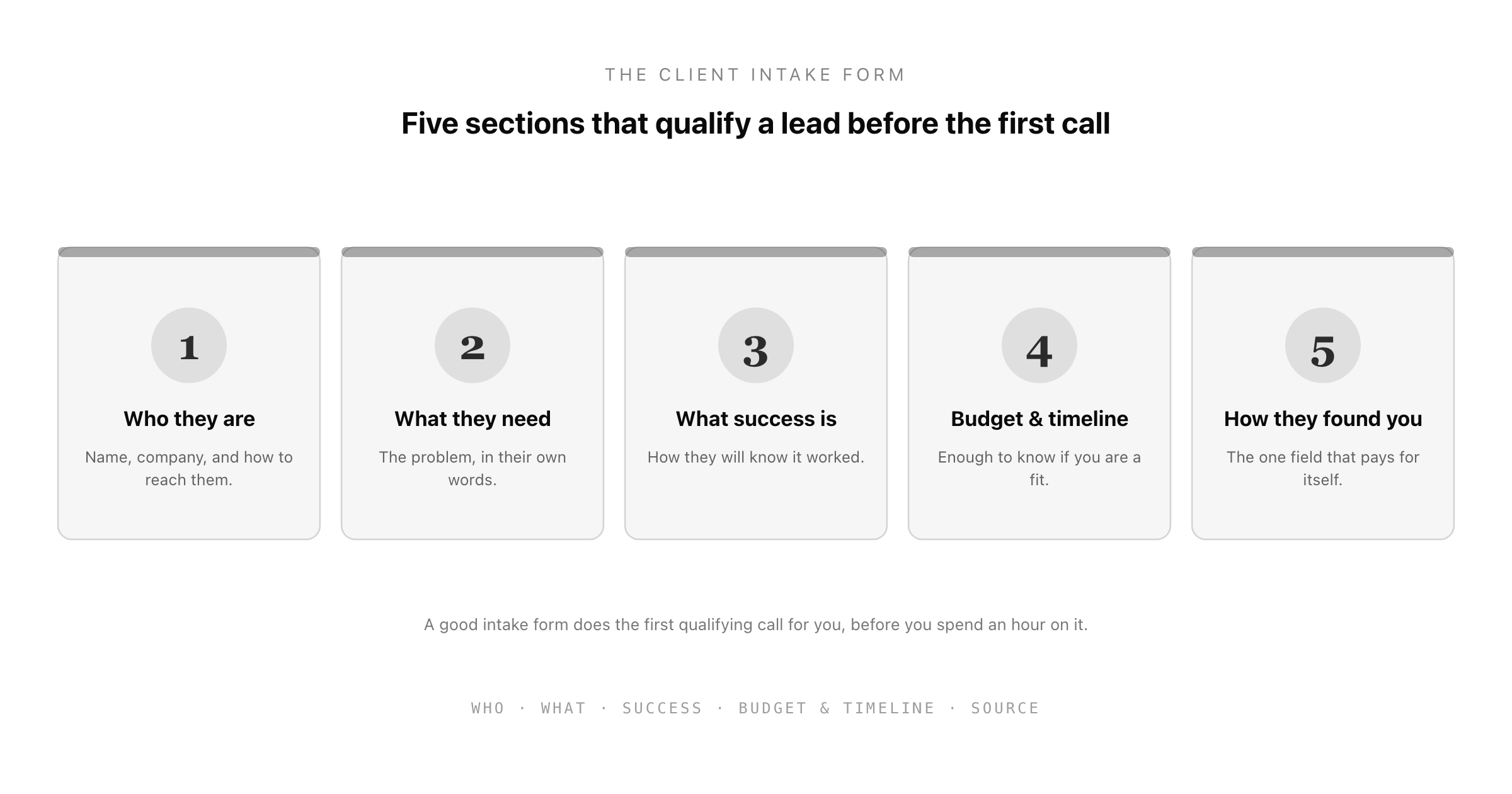
- A good client intake form captures five things: who they are, what they need in their own words, what success looks like, their budget and timeline, and how they found you.
- The form should qualify, not just collect. Budget and timeline fields, offered as ranges, tell you whether a lead is worth a call before you book one.
- Keep the core fields identical across every enquiry so leads are comparable, and add only the questions your specific profession needs.
- Do not scare people off: keep it short, make sensitive or detailed fields optional, and never ask for more than you need at this stage.
- Clone the Good Form client intake template so every enquiry arrives in the same structured shape, ready to review, instead of scattered across emails and DMs.
What a Client Intake Form Is For
A client intake form is a structured questionnaire a prospective or new client fills in before you start working together, or before you even get on a first call. Its job is not just to collect contact details. Its real job is to qualify: to tell you, before you invest any time, whether this is someone you can help, whether the work is a fit for what you do, and whether the budget and timeline are realistic.
That qualifying function is what separates an intake form from a plain contact form. A contact form says "get in touch." An intake form says "tell me enough that our first conversation is useful." The prospect who fills one in is more committed than one who fires off a one-line email, and the information they give you means your first call can start with the actual problem instead of twenty minutes of basic questions.
There is a second, quieter benefit. A consistent intake form means every enquiry arrives in the same shape, which makes them comparable. When one lead emails a paragraph, another sends a voice note, and a third fills in a DM, you cannot easily compare them or decide who to prioritise. When they all answer the same questions, you can triage at a glance.
The Five Fields Every Client Intake Form Needs
Whatever your profession, a strong client intake form covers five things. Everything else is an add-on.
1. Who they are
The basics: name, company or organisation if relevant, and how to reach them (email at minimum, phone optional). This is the only purely administrative section, and it should be short. Do not ask for a postal address or a job title unless you genuinely need it at this stage.
2. What they need, in their own words
The heart of the form: an open text field asking the prospect to describe, in a few sentences, the problem they want solved or the work they need done. Their own words matter here. How someone describes their problem tells you a great deal about whether they understand it, whether you can help, and how to pitch your first response.
3. What success looks like
A short, optional field asking how they will know the work succeeded. Not everyone can answer this, and that is itself informative, but the ones who can hand you exactly what you need to scope the work and set expectations. "I want more leads" is different from "I want to double demo bookings in a quarter," and you want to know which one you are dealing with.
4. Budget and timeline
The two qualifying fields, best offered as ranges rather than open boxes. A budget range (with a "not sure yet" option) and a timeline range tell you, before you book a call, whether this enquiry is worth an hour of your time. People worry that asking about budget scares clients off; in practice, ranges are painless to answer and they save both sides from a call that was never going to lead anywhere.
5. How they found you
One dropdown, and the field that quietly pays for itself. Knowing whether leads come from referrals, search, social, or events tells you where your business actually comes from, which is information most service businesses never systematically collect. Over a few months, this single field can reshape where you spend your marketing effort.
Adapt the Form to Your Profession
The five core fields stay the same across every version. What changes is the handful of profession-specific questions you add on top. Keeping the shared fields identical is what keeps enquiries comparable; the add-ons are where you capture what your particular work needs.
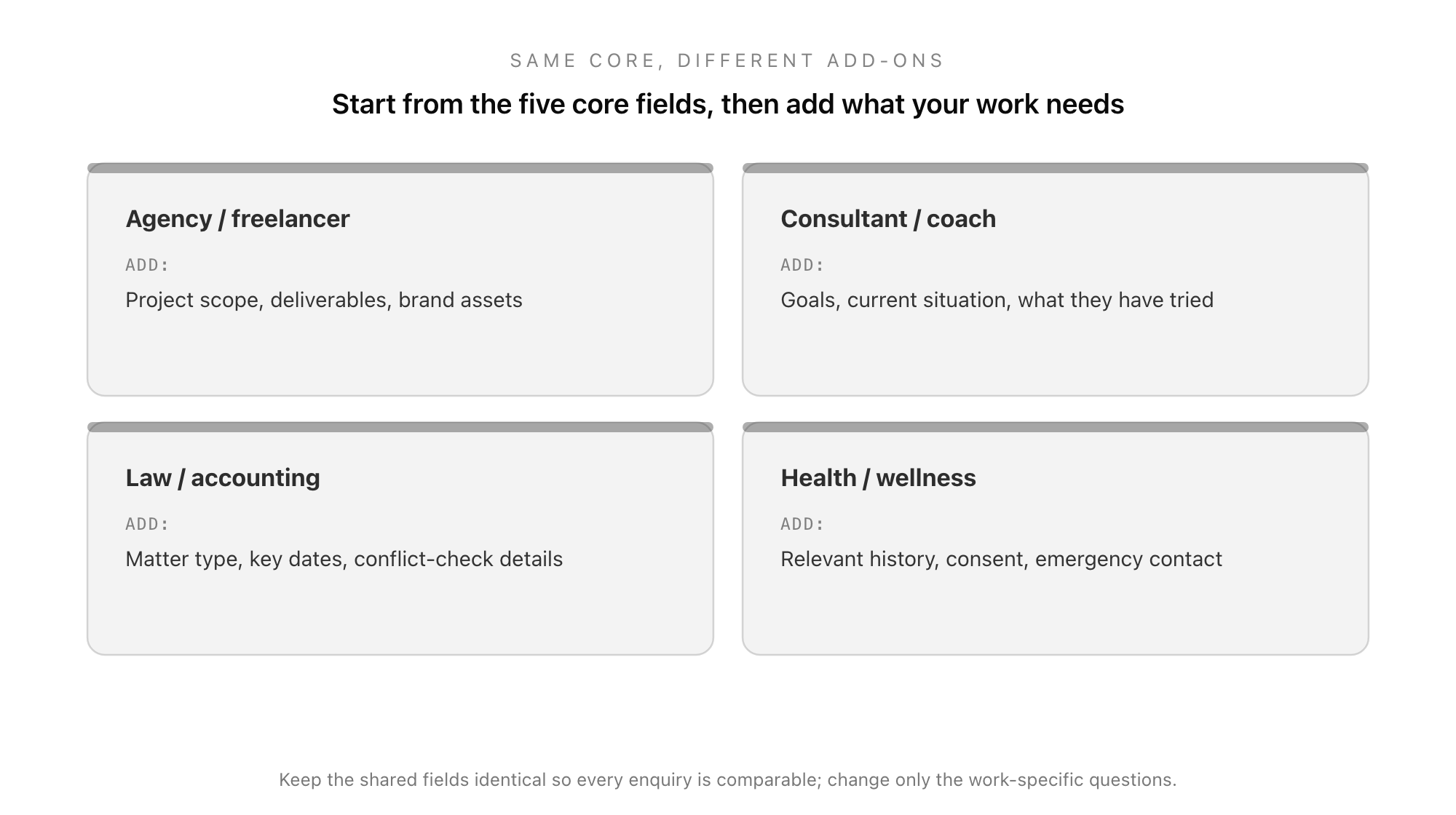
Agencies and freelancers typically add project scope, desired deliverables, and a place to link brand assets or examples of work they like. Consultants and coaches add the client's goals, their current situation, and what they have already tried, since the gap between those three is usually where the work lives. Law and accounting firms add the matter type, key dates, and the details needed to run a conflict check before taking someone on. Health and wellness practitioners add relevant history, a consent field, and often an emergency contact, with the same care around sensitive data that any health information demands: make it optional where you can, explain why you hold it, and restrict who can see it.
The principle across all of them is the same: start from the five-field core, then add only the questions your work genuinely requires. Every extra field costs you a few completions, so each one has to earn its place.
Client Intake Form Mistakes That Cost You Leads
A form that is meant to win work can lose it if it gets these wrong.
- Making it too long. The single biggest killer of intake-form completions. Every field you add loses a few people. If a question does not change whether or how you would take the client on, cut it, or move it to after they have said yes.
- Asking for sensitive information too early. Detailed history, financial specifics, or anything a prospect might hesitate to share belongs later in the relationship, not on the first form. Ask for it once there is trust and a reason.
- Forcing every field as required. A wall of red asterisks feels like an interrogation. Require only what you truly need to respond (usually just name, email, and what they need), and let the rest be optional.
- No budget or timeline question at all. Skipping these feels polite, but it just moves the awkward conversation to a call you both wasted. Ranges make it painless.
- Collecting it somewhere you cannot use it. An intake form whose answers land in an inbox, a spreadsheet, and three DMs is barely better than no form. The point is one structured, comparable, retrievable record per enquiry.
Put Your Client Intake on a Form, Not in Your Inbox
Most service businesses run intake informally: a "contact us" email, a DM, a note scribbled after a call. The result is that no two enquiries look alike, the qualifying questions get asked live (or not at all), and the details you need are scattered across channels by the time you sit down to prepare. The information that should make your first call sharp is exactly the information that is hardest to find.
A client intake form is precisely the kind of structured, repeatable process a form builder is built for: the same fields every time, the answers in one place, and each enquiry arriving ready to review and compare. The Good Form client intake template puts the five-field core on a single form, with the profession-specific add-ons easy to bolt on, so every prospect arrives in the same shape.
Clone the client intake form in Good Form →
You can build it in minutes with the free form builder, customise the fields for your profession, and share a single link on your website, your email signature, or your social profiles. When you are choosing a tool to run it on, our guides to the best free form builders and the Google Forms alternatives walk through what to look for. Whatever you build it on, the shift that matters is the same: from chasing details across your inbox to every enquiry arriving qualified, structured, and ready.
The client intake form is the cheapest piece of sales infrastructure a service business can build, and one of the highest-leverage. Capture the five things that matter, add only what your work needs, keep it short, and put it somewhere the answers are actually usable. Do that, and your first call with every new prospect starts where it should: on the work.