A PTO request form is the document that turns "I want next Thursday off" into a recorded, approved, payroll-ready event. When it works, nobody notices. When it does not work, the request gets buried in a Slack DM, the manager forgets, the team finds out on Monday, and someone in finance is reverse-engineering the timecard six weeks later. The fix is not a more sophisticated leave system. The fix is a small, well-shaped form that captures the right eight fields and routes them through one decision.
This guide gives you three ready-to-use PTO request form templates (one for accrual-based PTO, one for unlimited PTO, one for the hybrid model most growing companies actually run), the 8-field spine every version shares, and the approval flow that prevents the four failure modes small HR teams keep falling into. If you want to skip the reasoning and put the form in front of your team today, clone the Good Form PTO request template and customise it in five minutes.
The short version:
- A working PTO request form has eight fields: employee, manager, type of leave, first day off, last day off, working days requested, balance model (accrual / unpaid / unlimited), coverage plan, and a calendar-conflict acknowledgement. Anything fewer and you are guessing. Anything more and people stop submitting.
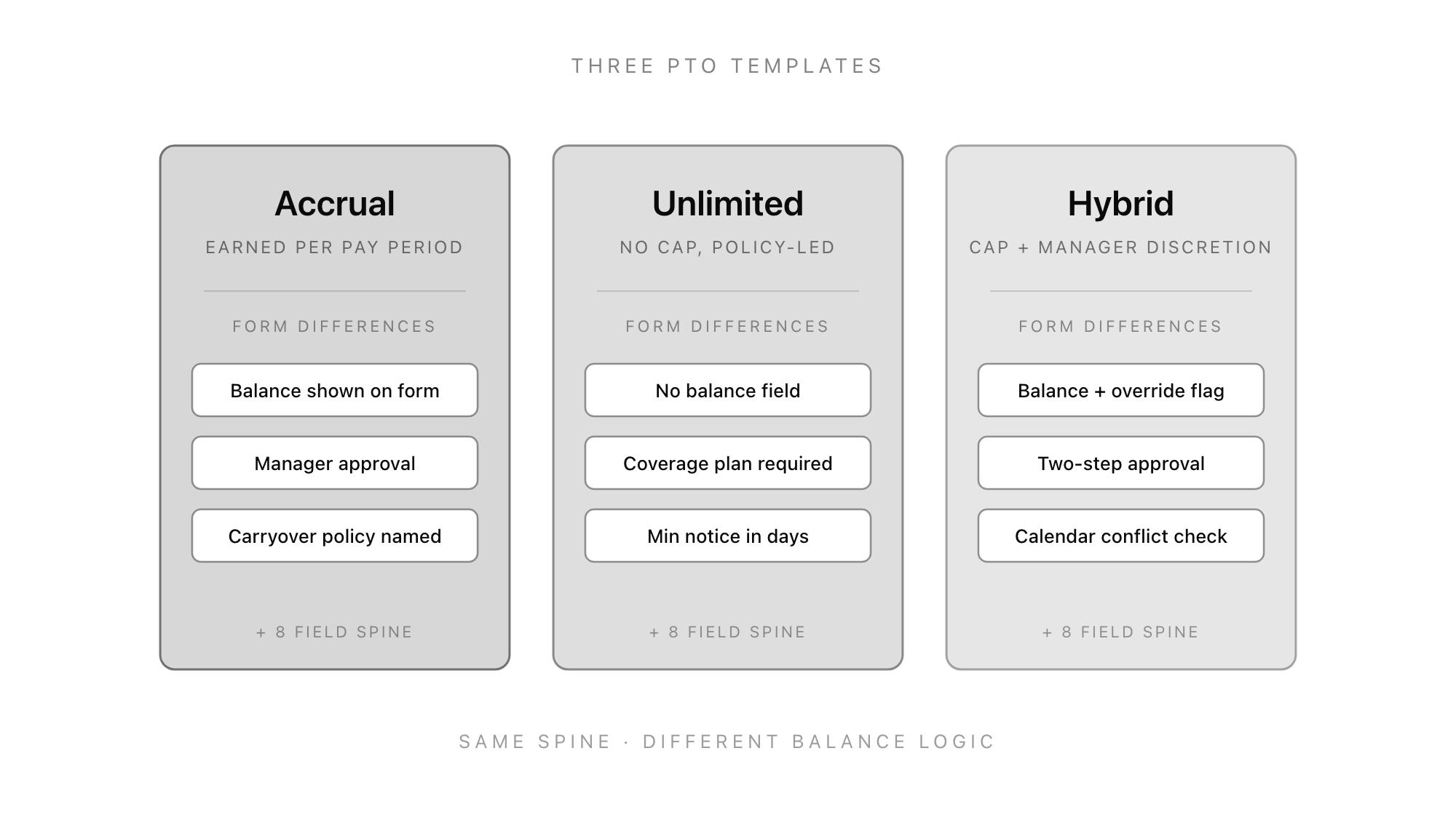
- Three templates cover the cases small companies actually run: accrual-based (balance shown on form, named carryover policy), unlimited PTO (no balance field, coverage plan required, minimum notice in days), and hybrid (cap with manager override flag, two-step approval). Same spine, different balance logic.
- Four failure modes show up across every team: ambiguous notice period, no carryover policy in the form, no calendar-conflict check, and a single approver with no fallback. Each one is fixed by a single field change, not a process redesign.
- The approval flow is one decision, not three. The form goes from employee to manager. The manager approves or declines. Payroll sees the result. No third stage unless the request crosses a policy threshold (longer than 10 working days, less than 7 days notice, or the calendar conflict was flagged).
- Clone the Good Form PTO request template → so requests are timestamped, structured, retrievable, and routed in one step instead of getting lost in Slack.
What a PTO Request Form Actually Does
A PTO request form has one job: convert an employee's intent to take time off into a record that survives the approval, the calendar, and the payroll cycle. It is not a leave-management system. It is the entry point. If the form is right, every downstream step works. If the form is wrong, every downstream step compensates.
The four things a PTO request form is not:
- A balance tracker. The form references the balance, it does not maintain it. Maintenance lives in payroll or a leave-management tool. A form that tries to do both ends up with stale data and conflicting source-of-truth.
- A policy document. The PTO policy lives in the handbook. The form references the policy. If the form is doing the work of the policy (explaining accrual rates, listing public holidays, describing carryover rules at length), it has stopped being a form and become reading.
- A calendar. The form should ask whether the calendar was checked. It should not be the calendar. Conflict resolution is a manager job and a team-rituals job, not a form job.
- A multi-stage approval workflow. Two stages at most. Employee submits, manager decides. Anything more is process theatre and it is the reason requests get lost.
What a PTO request form is: a structured record of who is asking, when, why, for how long, against what balance, and with what coverage in place, that produces an approved or declined decision in one step.
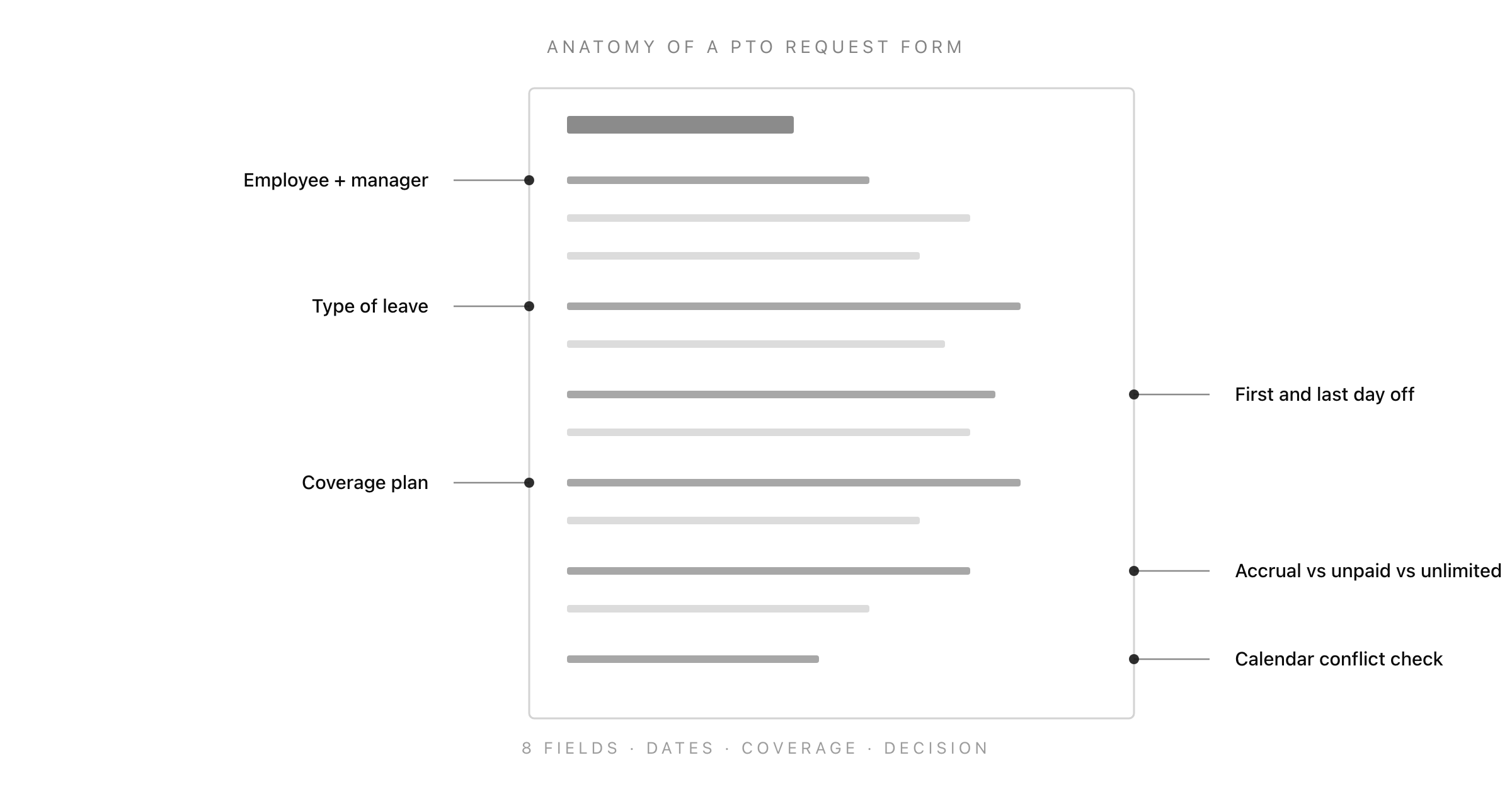
The Eight-Field Spine Every PTO Request Form Needs
Every working PTO request form, regardless of accrual model, contains the same eight fields. The differences between accrual, unlimited, and hybrid templates are in the balance field and the approval rule, not the structure.
1. Employee Identity (Name + Work Email)
The submitter. Two fields, both required. Email is what payroll matches against. The temptation is to also collect employee ID or department, which then never gets filled in correctly because nobody knows their own ID. Skip it. Email is enough.
2. Manager Name
The decision-maker. One required text field. Some teams hard-code the manager based on the employee's department; that breaks the moment somebody changes team and nobody updates the routing. A simple text field that the employee fills in is the most resilient version. The form posts to the manager directly.
3. Type of Leave
A select field, not a free-text field. Five categories cover almost every case: vacation / annual leave, sick leave, personal day, bereavement, unpaid leave. Add "other" only if your team has a specific leave category that does not fit (sabbatical, jury duty, parental). The select serves payroll, not the employee. Without it, every reconciliation is a manual tag.
4. First Day Off
A date field. Required. The first calendar day the employee is not working. Not the last working day. This is the field people get wrong most often.
5. Last Day Off
A date field. Required. The last calendar day the employee is not working. The employee returns on the next working day. Stating both endpoints explicitly removes the off-by-one error that haunts every leave system that asks for "duration in days" without endpoints.
6. Total Working Days Requested
A number field. Required. The employee calculates this themselves (yes, manually). Why ask if the dates already imply it? Two reasons: (1) it forces the employee to think about whether the request includes a public holiday or weekend, and (2) it is the field payroll matches against. Mismatches between dates and working days are the single best signal that the request needs a second look before approval.
7. Balance Model
A radio-button field with three or four options: accrued PTO, unpaid leave, unlimited PTO, not sure. This is the field that determines which template you are using. On an accrual form, "accrued PTO" is the only meaningful option. On an unlimited form, the field is informational. On a hybrid form, this is where the manager finds out whether they need to apply discretion.
8. Coverage Plan
A textarea. Required. One paragraph from the employee describing who is covering and what is being handed over. The presence of this field, more than any other, is what separates a PTO request form that works from one that ships requests with no follow-through. If the field is empty, the manager has a clear reason to bounce the request back.
A ninth field, which is technically optional but does almost all the heavy lifting in practice: a checkbox confirming "I have checked the team calendar for conflicts". The act of ticking the box is the conflict check. Whether or not the employee actually looked, the friction of checking is what catches the genuinely-conflicting request before it gets approved.
The Three PTO Request Form Templates
Three balance models cover almost every small-team setup. The fields are the same. What changes is the balance logic, the approval rule, and one or two helper fields.
Template 1: Accrual-Based PTO Request Form
Used by: most small businesses, anyone with a defined annual PTO allowance, anyone whose payroll provider tracks balances.
The differences from the spine:
- Balance shown on form. Either pulled from the payroll system or entered by the employee from their pay stub. The form should display the available balance before the employee submits, so they cannot request more than they have without explicitly flagging it.
- Manager approval is the full decision. No second stage unless the request would push the balance negative.
- Carryover policy named. A line in the form (not the handbook) saying "Unused PTO does not carry over past December 31" or "Up to 5 days carry over". This is the field most accrual forms skip and it is the one that produces the angry email in January.
The form should also flag any request that exceeds the available balance, that crosses a carryover boundary, or that lands within the last 14 days of the carryover year. Each of those is a manager-discretion case and the form should make the manager see it without scrolling.
Template 2: Unlimited PTO Request Form
Used by: tech startups, professional services firms, anyone whose policy says "take time off when you need to" and whose finance team has decided not to track balances.
The differences from the spine:
- No balance field. There is no balance. The radio button on the spine collapses to two options: "vacation" and "other".
- Coverage plan is the centre of gravity. Without a balance to push against, the only mechanism to prevent overuse is a strong coverage plan and the manager's calibration. The form should require a richer coverage paragraph (who, what, for how long, what gets escalated to whom).
- Minimum notice in days, not weeks. Unlimited PTO companies that try to enforce a "two weeks notice" rule end up undermining their own policy. A 7-day minimum notice for any request longer than 3 days is the most common working version. Shorter requests can be flagged with no notice constraint.
The unspoken risk with unlimited PTO request forms is that they make taking time off feel like asking permission rather than declaring intent. The form's tone matters. "Submit your PTO request" reads differently from "Notify your team of upcoming time off". The second framing produces more usage of the policy, which is the entire reason the policy exists.
Template 3: Hybrid PTO Request Form
Used by: most growing companies, anyone who has a PTO cap in policy but applies manager discretion, anyone who runs unlimited PTO in spirit but wants a tracked floor and ceiling.
The differences from the spine:
- Balance + override flag. The form shows a tracked balance (e.g. 20 days per year) and includes a checkbox: "This request exceeds my standard balance, I am asking for manager discretion". Ticking the box does not auto-decline. It routes the request through the second stage.
- Two-step approval. Standard requests (within balance) go to the manager only. Override requests go to manager + HR or manager + senior manager. The form should make this routing visible to the employee at submit time so the expected response time is clear.
- Calendar-conflict check is a hard requirement. The hybrid model usually applies in teams large enough that calendar conflicts are real. The conflict-check checkbox is required, not optional, and the form should include a one-line link to the team calendar.
The hybrid template is the one most companies should be using. It captures the predictability of accrual and the flexibility of unlimited without the failure modes of either. The friction is a single extra checkbox.
The Approval Flow That Prevents Four Failure Modes
A PTO request form sitting on a server with no routing logic is just a database row. The shape of the routing is what determines whether the form works. There are four failure modes that show up in every small HR team. Each one is fixed by a small change to the approval flow, not by adding more fields.
Failure Mode 1: Ambiguous Notice Period
The policy says "reasonable notice" or "two weeks where possible" and the form does not enforce anything. Result: requests come in 36 hours before the requested start date and the manager has to decide whether to approve a request they have no time to plan around.
The fix: the form's submit button checks the gap between submission timestamp and "first day off" against a notice-period rule. If the request is less than the minimum notice (typically 7 working days for any leave longer than 3 days), the form shows a confirmation step: "This is a short-notice request. Please briefly explain why." That field becomes part of the record. The manager sees the explanation alongside the request.
Failure Mode 2: No Carryover Policy on the Form
The handbook says PTO does not carry over. The employee never read the handbook. December rolls around and they have 12 days of PTO, no possibility of taking them, and they file a complaint about a policy they did not know existed.
The fix: include the carryover policy as a one-line statement on the form itself, immediately above the submit button. "Unused PTO does not carry over past 31 December. Plan accordingly." This is the cheapest no-regrets change in any PTO process. The form is the moment the employee is paying attention to PTO. Surface the rule there, not in the handbook.
Failure Mode 3: No Calendar-Conflict Check
The employee submits, the manager approves, and on Monday morning two senior engineers are unexpectedly out at the same time and the team is blocked. Nobody did anything wrong. Nobody checked the calendar.
The fix: the conflict-check checkbox is required on the form. The act of clicking it is the check. Even if the employee does not actually look, the friction of being asked to confirm catches a meaningful share of conflicts. For teams larger than ten people, the form can include a link to the shared team calendar so the check takes ten seconds.
Failure Mode 4: Single Approver with No Fallback
The manager is on holiday. The request sits unapproved. The employee waits. The manager comes back, sees a backlog of three requests, approves them all without much thought.
The fix: the form supports a fallback approver. The employee fills in the manager's name. If the manager has not responded within 48 hours (or has an out-of-office detected), the form can be configured to re-route to a backup approver (typically the manager's manager or HR). This is more useful in the hybrid template than the others. For accrual and unlimited, a 48-hour silent-default-to-approve rule is a working alternative.
What to Do With the Form Once You Have It
Three concrete steps to put a PTO request form in production today, regardless of which template you picked.
Step 1: Pick the template. Accrual if you have a defined allowance and a payroll provider tracking balances. Unlimited if you have an "unlimited PTO" policy in your handbook. Hybrid if you have a cap with discretion (the most common case for 10–50 person companies).
Step 2: Customise four fields. The leave-type select needs your specific categories. The carryover policy line needs your specific date and rule. The notice-period rule needs your specific minimum. The fallback approver needs to be named (or explicitly listed as none).
Step 3: Decide the routing. Email-only is fine for teams under 20. Slack notifications for the manager are useful for teams under 100. A queued dashboard for managers becomes worth it past that. The form does not need to do all three. Pick one.
The form itself is a 30-minute setup. The policy decisions behind the form (notice period, carryover, fallback approver) are an hour-long conversation with whoever owns HR. Most teams skip the conversation, hope the form will somehow contain the policy, and end up rebuilding both six months later when the first dispute happens.
Common PTO Request Form Mistakes (and How to Avoid Them)
A short list of mistakes that show up in almost every iteration of this form across small HR teams.
- Asking for a reason. Don't. Type of leave is enough. Asking for a reason is intrusive at best, discriminatory at worst, and produces a paper trail that creates legal risk for the employer.
- Letting the employee enter both their start date and the date they return. Use first day off and last day off. The return date is implied. Otherwise the off-by-one error rate is roughly 30%.
- Allowing free-text "leave type". It will be entered inconsistently and reconciliation becomes manual. Always use a select.
- Skipping the manager-name field. Don't try to look it up. Have the employee enter it. Resilient to org changes.
- Building approval into a separate tool. The form and the approval should be one thing. Approving by replying to the form's notification (or a one-click button on the notification) is the design that holds up.
- Asking for a doctor's note on the form. If sick leave longer than X days requires evidence, request it as a follow-up via a separate form, not as a field on the main request. Mixing decisional and clinical information on the same record creates compliance issues.
The Bottom Line
A PTO request form is a small piece of HR infrastructure that becomes invisible when it works and impossible to ignore when it does not. The shape of the form is straightforward: eight fields, one of three balance models, one or two-stage approval, four small protections against the failure modes that show up in every small team.
Most teams over-engineer this. They build a leave-management workflow when what they need is a form. They write a 12-field intake when what they need is 8. They invent a multi-stage approval when what they need is one.
If you want the form in production today, clone the Good Form PTO request template and customise the four fields above. If you want to see how the same spine adapts to other HR forms, the employee onboarding form, the interview feedback form, and the performance improvement plan template all use the same approach: a small set of well-shaped fields, a single decision, and a paper trail you can defend.
Time off is the simplest thing employees ask their employer for. It deserves a form that respects that.