An emergency contact form is the document you hope never gets used and cannot afford to be missing. It is the single piece of paper, or ideally the single record in your HR system, that tells a manager or a first responder who to call when an employee is hurt, taken ill, or unreachable at work. Most companies collect one on day one, file it, and never look at it again, which is exactly how it ends up out of date the moment it actually matters. This guide gives you a ready-to-use emergency contact form template, the fields that belong on it, the medical and privacy pitfalls that trip employers up, and the part almost everyone skips: keeping it current.
The form itself is simple. Getting it right is mostly about two things that are easy to get wrong: collecting enough to be useful without collecting sensitive data you have no business holding, and making sure the information is still accurate a year after the employee signed it. We will cover both, with a template you can clone and send today.
The short version:
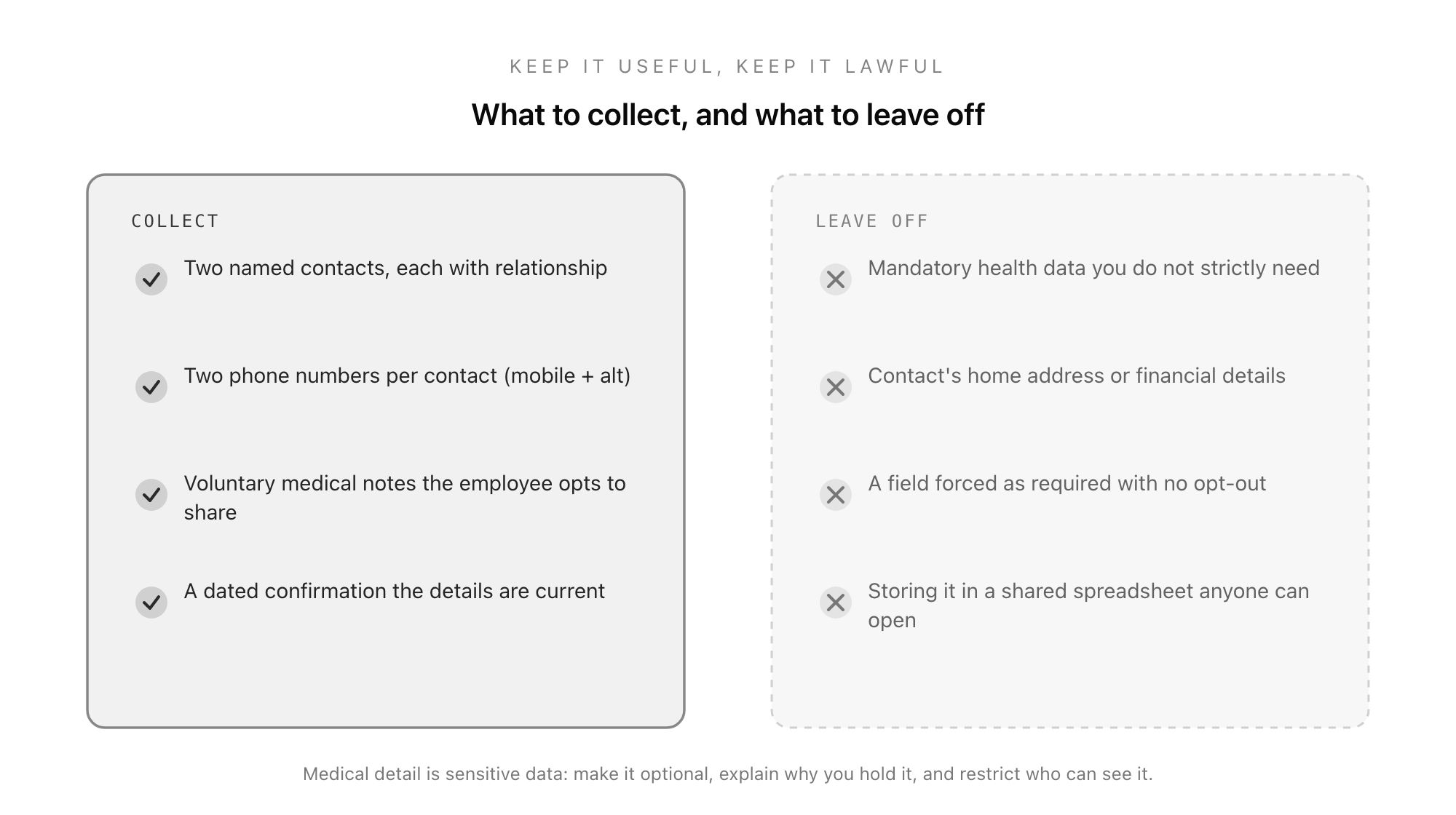
- A good emergency contact form captures two named contacts, each with a relationship and two phone numbers, plus voluntary medical information the employee chooses to share, and a dated confirmation.
- Medical details are sensitive personal data. Make any health field optional, explain why you hold it, and restrict who can see it. Never force it.
- The form is only as good as it is current. Re-confirm contacts at least once a year and after any major life change, or it quietly rots in a filing cabinet.
- Collect it as part of the new-hire pack alongside the other day-one forms, not as a loose email attachment that gets lost.
- Clone the Good Form emergency contact template so every employee submits the same structured record, it is timestamped, and a manager can actually find it in seconds when it counts.
What an Emergency Contact Form Is For
An employee emergency contact form exists to answer one question quickly: if something happens to this person at work, who do we call? That sounds obvious, but the "quickly" is the whole point. In a genuine emergency, nobody has time to dig through a personnel file, guess at a next of kin, or scroll an employee's phone for an "ICE" entry they may not have. The form puts the answer in one known place, in a consistent format, so that the person who needs it can act in seconds rather than minutes.
It serves a second, quieter purpose too. Collecting emergency contacts signals to employees that the company has thought about their safety, which matters as much for office staff as for anyone on a worksite. And in regulated or higher-risk environments, having current emergency contact information on file is often part of a wider duty-of-care or health-and-safety obligation, not just good practice.
What the form is not is a place to gather everything you might one day find handy. The discipline of a good emergency contact form is restraint: collect what a responder genuinely needs, and nothing that turns a safety record into a privacy liability.
The Fields That Belong on an Emergency Contact Form
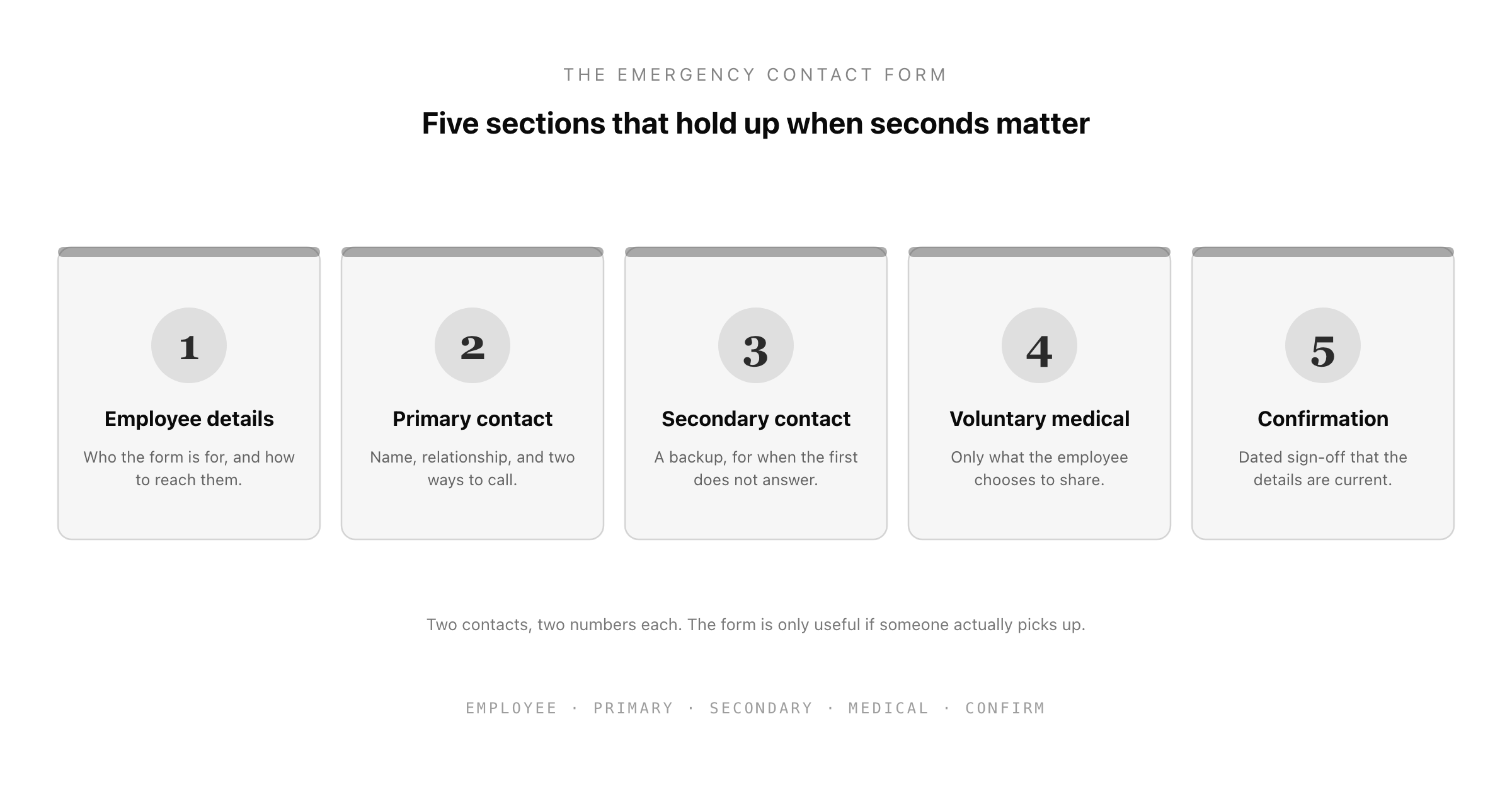
A complete emergency contact information form has five parts. Each earns its place.
1. Employee details
Enough to identify whose form this is and reach them directly: full name, job title or department, and the employee's own mobile number. The employee's number matters because the first move in many "is everything okay?" situations is simply to call the person themselves.
2. Primary emergency contact
The core of the form. For the primary contact, capture their full name, their relationship to the employee (spouse, parent, partner, friend, it does not matter what, only that the responder knows who they are speaking to), and crucially two ways to reach them: a mobile and an alternative number. A single phone number that goes to voicemail is the most common reason an emergency contact form fails in practice. Two numbers roughly doubles the chance someone actually picks up.
3. Secondary emergency contact
A backup, for when the primary cannot be reached. This can be optional, but strongly encouraged. The whole value of the form collapses if the one person listed happens to be on a plane, in a meeting, or the very person involved in the incident. A second name is cheap insurance.
4. Voluntary medical information
This is the field that makes an emergency contact form genuinely useful to a first responder, and also the one that carries the most risk if handled badly. A brief, optional space for the employee to note anything they want responders or their manager to know in an emergency: a serious allergy, a condition like epilepsy or diabetes, a critical medication. The two words that must govern this field are voluntary and optional. More on the legal side below.
5. Confirmation and date
A simple dated sign-off that the details are current and may be used in a genuine emergency. The date is the part that lets you spot a stale record at a glance.
The Medical and Privacy Pitfalls to Avoid
This is where well-meaning employers get into trouble. Health information is, under both UK and EU data protection law (the special-category provisions of the UK GDPR) and US frameworks like the ADA's confidentiality rules, among the most sensitive personal data you can hold. That does not mean you cannot collect it on an emergency contact form. It means you have to collect it the right way.
Three rules keep you on the right side of it:
- Make every medical field optional. An employee must be able to submit the form without disclosing a single health detail. The information is offered, never demanded. A field forced as required with no opt-out is the single most common mistake on a work emergency contact form.
- Explain why you hold it, and limit its use. A one-line note on the form stating that any medical information will only be used to help in a genuine emergency is both good practice and, in many jurisdictions, part of your transparency obligation. Do not repurpose it for anything else, ever.
- Restrict who can see it. Emergency contact records, and especially any medical notes, should be accessible to the people who would actually need them in an emergency, not sitting in a shared spreadsheet that the whole office can open. This access point is exactly where the loose-spreadsheet approach fails.
Equally, leave off what you do not need. You do not need the emergency contact's home address, their date of birth, or any financial details. The contact's name, relationship, and phone numbers are enough to make a call. Every extra field is more sensitive data to protect for no operational gain.
Keeping the Form Current (the Part Everyone Skips)
A perfect emergency contact form collected on someone's first day is worthless if, two years later, the listed partner is an ex, the mobile number belongs to a cancelled contract, and the employee has moved cities. This is the failure mode nobody plans for, because the form works fine right up until the moment it is needed, which by definition is rare and unpredictable.
Build a refresh into the calendar. The simplest approach that works: ask every employee to re-confirm their emergency contacts once a year, and prompt an update after any obvious life change (a new address, a marriage or separation, a new phone number). An annual one-click "still correct?" confirmation costs the employee thirty seconds and is the difference between a form that works and a form that just exists. This is far easier when the record lives in a system that can timestamp confirmations and flag the ones that have gone stale, rather than a paper form in a drawer that no one will ever proactively revisit.
Collect It With the Rest of the New-Hire Pack
The natural moment to collect an emergency contact form is during onboarding, alongside the other documents a new starter completes on day one. Bundling it into the new-hire paperwork pack means it actually gets done, rather than being chased separately weeks later when the new hire is already buried in work. It sits comfortably next to the employee onboarding form, the I-9 verification, and the direct deposit form: the small set of records every new employee needs in place before or shortly after they start.
Collecting it as a structured digital form, rather than a printed sheet, has a few concrete advantages beyond convenience. Every record has the same fields, so there is nothing missing when you need it. The submission is timestamped, so you can see at a glance which records are current. And access can be controlled, so the sensitive parts are not sitting in plain sight. Those are precisely the properties an emergency record should have and a paper form cannot.
Put Your Emergency Contact Form on a System, Not in a Drawer
The classic emergency contact form is a Word document printed, filled in by hand, and filed in a folder that, in a real emergency, somebody has to physically locate and read. It works in theory and fails in the cases that matter: the form is at the office and the incident is on a site visit, the folder is locked and the keyholder is away, the record is three years old and nobody re-checked it.
An emergency contact form is exactly the kind of record that belongs in a structured, retrievable system: identical fields every time, a timestamp the system writes itself, controlled access to the sensitive parts, and an easy annual re-confirmation so it never goes stale. The Good Form emergency contact template puts the five-part structure on a single form, so every employee submits the same record and a manager can pull it up in seconds rather than searching a filing cabinet.
Clone the emergency contact form in Good Form →
It opens in the editor with all five sections wired up: employee details, primary and secondary contacts with two numbers each, an optional voluntary-medical field with the right privacy framing, and a dated confirmation. Customise it for your organisation, share the link with new starters as part of onboarding, and send the annual re-confirmation from the same place. Pair it with the other HR forms in the Good Form library (onboarding, direct deposit, I-9) and your whole day-one intake runs through one consistent, retrievable layer.
The emergency contact form is the one document you measure not by how often you use it, but by whether it works the single time you do. Collect the right fields, treat the medical data with the care the law demands, keep it current, and store it where someone can actually find it. Get those four things right and the form does its quiet, essential job on the day it finally has to.