A timesheet is the humble record that a surprising amount of a business runs on. It is how you know what to put on a payslip, what to bill a client, how much a project actually cost, and whether you are meeting the labour laws that govern hours and overtime. Get timesheets right and payroll is accurate, invoices are defensible, and projects are properly costed. Get them wrong, with vague entries, missed hours, or a process nobody follows, and you end up with payroll disputes, under-billed clients, and no real idea where your team's time is going. For all its simplicity, a good timesheet is one of the most useful documents a business keeps.
This guide covers what a timesheet is, why timesheets matter more than they look, what to include on one, the common formats and frequencies, the best practices that make them reliable, and how to build one. Whether you are tracking hours for payroll, for client billing, or just to understand where the time goes, the same principles apply.
What Is a Timesheet?
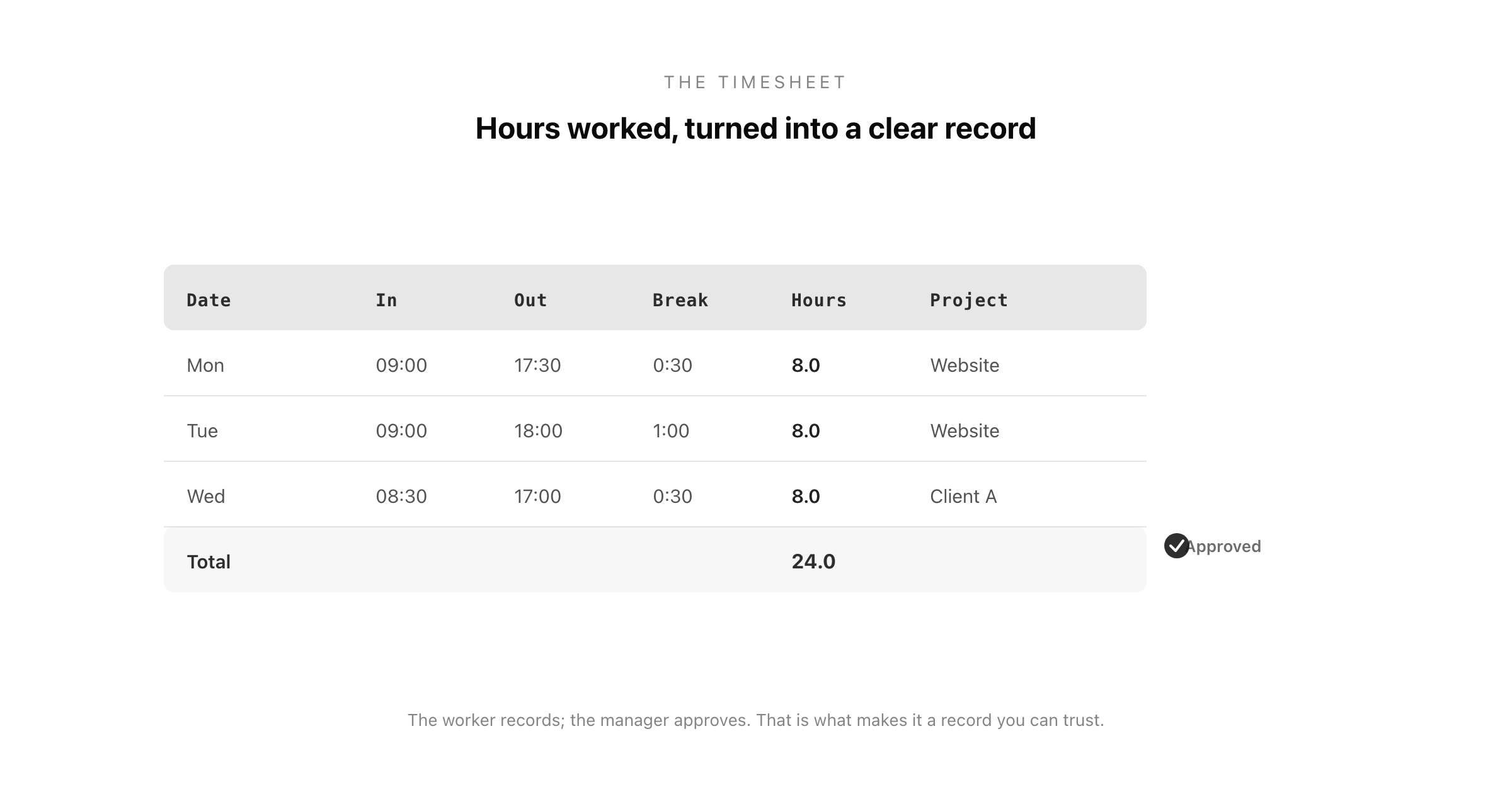
A timesheet is a record of the hours a person worked over a given period. In its simplest form it captures, for each day, when someone started, when they finished, any unpaid breaks, and the total hours that result, and it adds those up across the week, fortnight, or month. That total is the number that drives pay, billing, and reporting.
Timesheets began as literal sheets of paper, or the cards punched by a time clock, and the name has stuck even though most are now digital. What has not changed is the purpose: to turn the fuzzy question of "how much did this person work?" into a clear, agreed number that everyone can rely on. The value of a timesheet is precisely that it replaces memory and guesswork with a record.
A timesheet is filled in by the worker (or captured automatically) and then, in most setups, approved by a manager, which is what turns a personal note of hours into an authorised record the business can act on. That combination, the worker records, the manager approves, is the heart of a trustworthy timesheet process.
Why Timesheets Matter
It is easy to treat timesheets as bureaucratic busywork, but they quietly underpin several important functions.
Payroll accuracy. For hourly and shift workers, the timesheet is the direct basis of pay. An accurate timesheet means an accurate payslip; a sloppy one means someone is over- or under-paid, and payroll disputes are among the fastest ways to lose a team's trust.
Client billing. For agencies, consultancies, law firms, and any business that bills by the hour, timesheets are the evidence behind every invoice. Well-kept time records mean you bill for the work you actually did, and can defend the invoice if a client queries it.
Project costing and profitability. Timesheets reveal how much time, and therefore money, a project truly consumed. Without them, you are guessing at whether work is profitable; with them, you can see which projects, clients, and tasks are worth it.
Compliance with labour law. Rules on working hours, rest breaks, and overtime vary by jurisdiction, and accurate time records are often a legal requirement and your evidence of compliance. This is not optional in many places, and the timesheet is the record that proves you met the rules.
Understanding where time goes. Even beyond pay and billing, timesheets surface where a team's hours actually go, which is often surprising and always useful for planning.
What to Include on a Timesheet
A good timesheet captures enough to be useful without becoming a chore to fill in. The core fields:
Employee details. Name, and where relevant an employee ID, department, or role, so the hours are attributed correctly.
The date and period. Each work date, within a clearly defined period (the week, fortnight, or month the sheet covers).
Time in and time out. When the person started and finished, either as clock times or as a total, depending on how precise you need to be.
Breaks. Unpaid breaks, so the total reflects actual paid working time rather than time on the premises.
Total hours. The daily and period totals, ideally calculated automatically to avoid arithmetic errors, split into regular and overtime hours where overtime rules apply.
Project, task, or client. For billing and costing, which project or client the time was spent on, so hours can be allocated rather than just counted.
Approval. A manager's sign-off, and the date of it, which authorises the record for payroll or invoicing.
Collecting these consistently, and keeping the approved timesheets organised, is exactly the kind of record you want to be able to produce for payroll, a client query, or an audit.
Timesheet Formats and Frequencies
Timesheets come in a few standard shapes, and the right one depends on how you pay and bill.
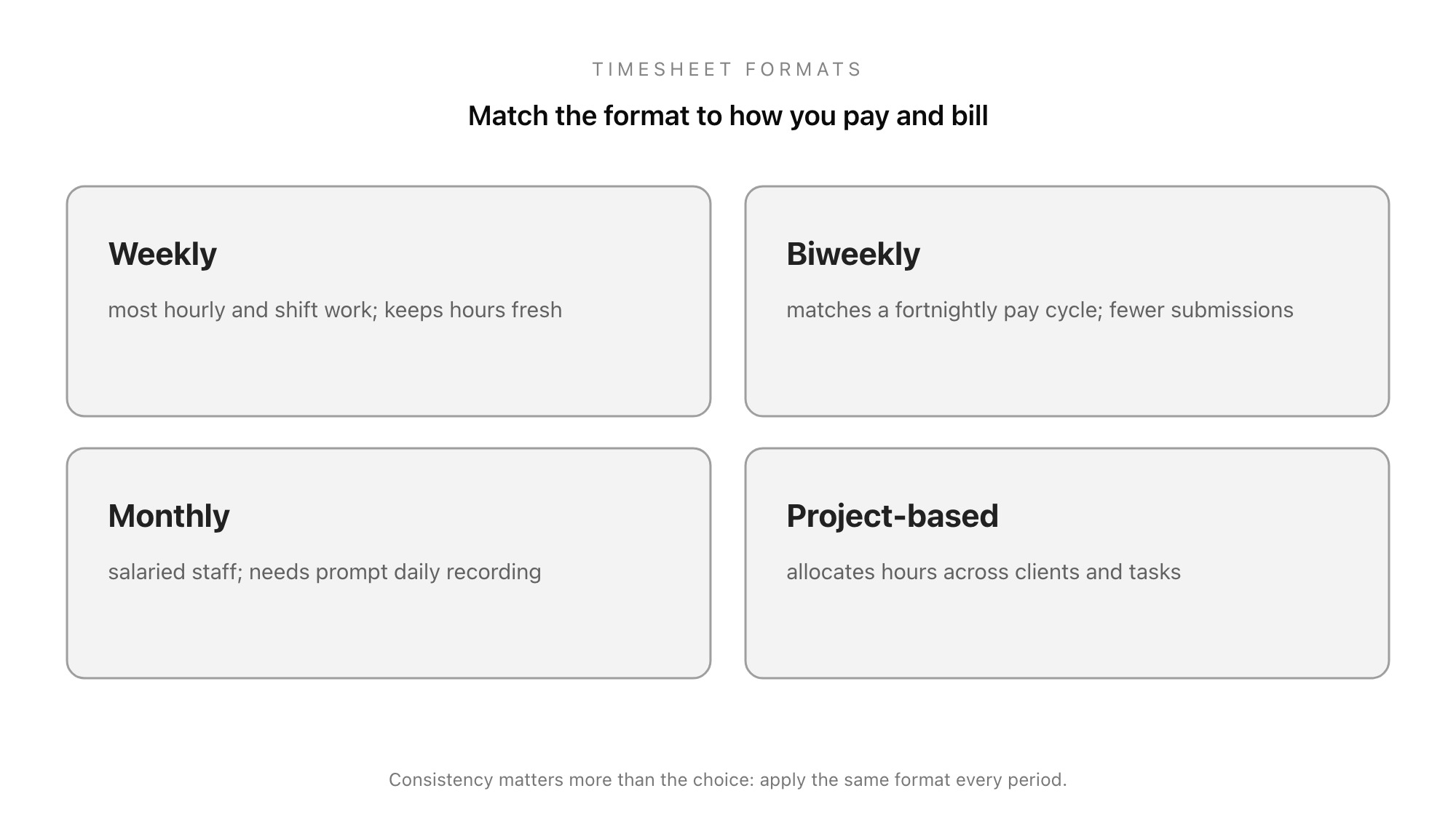
Weekly is the most common, matching the way most hourly and shift work is scheduled and paid, and keeping the record fresh enough that people remember their hours.
Biweekly (every two weeks) matches a fortnightly pay cycle, common in many organisations, and halves the number of submissions.
Monthly suits salaried staff and simpler tracking, though the longer gap makes accurate daily recording more important, since nobody remembers a month of hours at the end.
Project-based timesheets are organised around clients, projects, or tasks rather than just dates, which is essential for any business that bills or costs by project. The same hours are captured, but allocated to the work they belonged to.
Whatever the frequency, consistency matters more than the specific choice: pick the format that matches your pay and billing cycle and apply it the same way every period.
Manual vs Digital Timesheets
Timesheets have moved from paper and punch-cards to spreadsheets and dedicated apps, and how you capture the hours has a real effect on how reliable they are.
Manual timesheets, on paper or in a spreadsheet, are cheap and familiar, but they carry well-known weaknesses: arithmetic errors, hours reconstructed from memory, entries that are easy to fudge, and approvals chased around by email. They work for a very small team, but they scale badly and they leave the numbers open to question.
Digital timesheets, whether a structured form or a full time-tracking tool, fix most of that. They calculate totals automatically, timestamp entries so hours are recorded when they happen rather than remembered later, route submissions to the right approver, and store every record in one searchable place. For anything beyond a handful of people, the reliability of a digital process is usually worth it, not because the technology is impressive, but because it removes the specific failure points, bad arithmetic, faded memory, skipped approvals, that make manual timesheets untrustworthy.
Timesheet Best Practices
A few habits separate timesheets that people trust from ones they fudge or ignore.
- Record time promptly. The biggest enemy of accuracy is delay. Time filled in daily is far more accurate than a week reconstructed from memory on Friday afternoon.
- Make it easy to fill in. A timesheet that is quick and simple gets completed honestly; a fiddly one gets rushed or guessed. Simplicity drives accuracy.
- Automate the totals. Manual arithmetic is where errors creep in. Calculating totals automatically removes a whole class of mistakes.
- Require approval. A manager sign-off catches errors and turns the record into an authorised one. Unapproved hours should not flow to payroll.
- Keep the records. Retain approved timesheets in an organised, retrievable way, both because you may need them for a payroll query, a client dispute, or an audit, and because in many places it is legally required.
Build Your Timesheet in Good Form
A timesheet is only as good as the process behind it: easy to fill in, calculated correctly, approved reliably, and stored where you can find it. When timesheets live in scattered spreadsheets and emails, hours get lost, totals get fudged, and approvals get skipped. When they live in one structured place, the whole process holds together and the numbers can be trusted.
You can build a timesheet in minutes with the free form builder, capturing hours, breaks, and projects in a consistent format and collecting the submissions in one organised place ready for approval and payroll. The same structure powers the other workforce forms around it, like the PTO request form and the onboarding that starts with a good employee onboarding form. If you are choosing a tool to run your workforce forms on, the guide to the best free form builders covers what to look for.
Build your timesheet in Good Form →
A timesheet looks like a trivial thing, a grid of hours, but it sits under payroll, billing, costing, and compliance all at once, which is why getting it right pays off far beyond the few minutes it takes to fill in. Capture the right fields, pick a format that matches how you pay and bill, record time promptly, require approval, and keep the records, and the humble timesheet becomes what it should be: the reliable foundation of getting people paid and work accounted for.